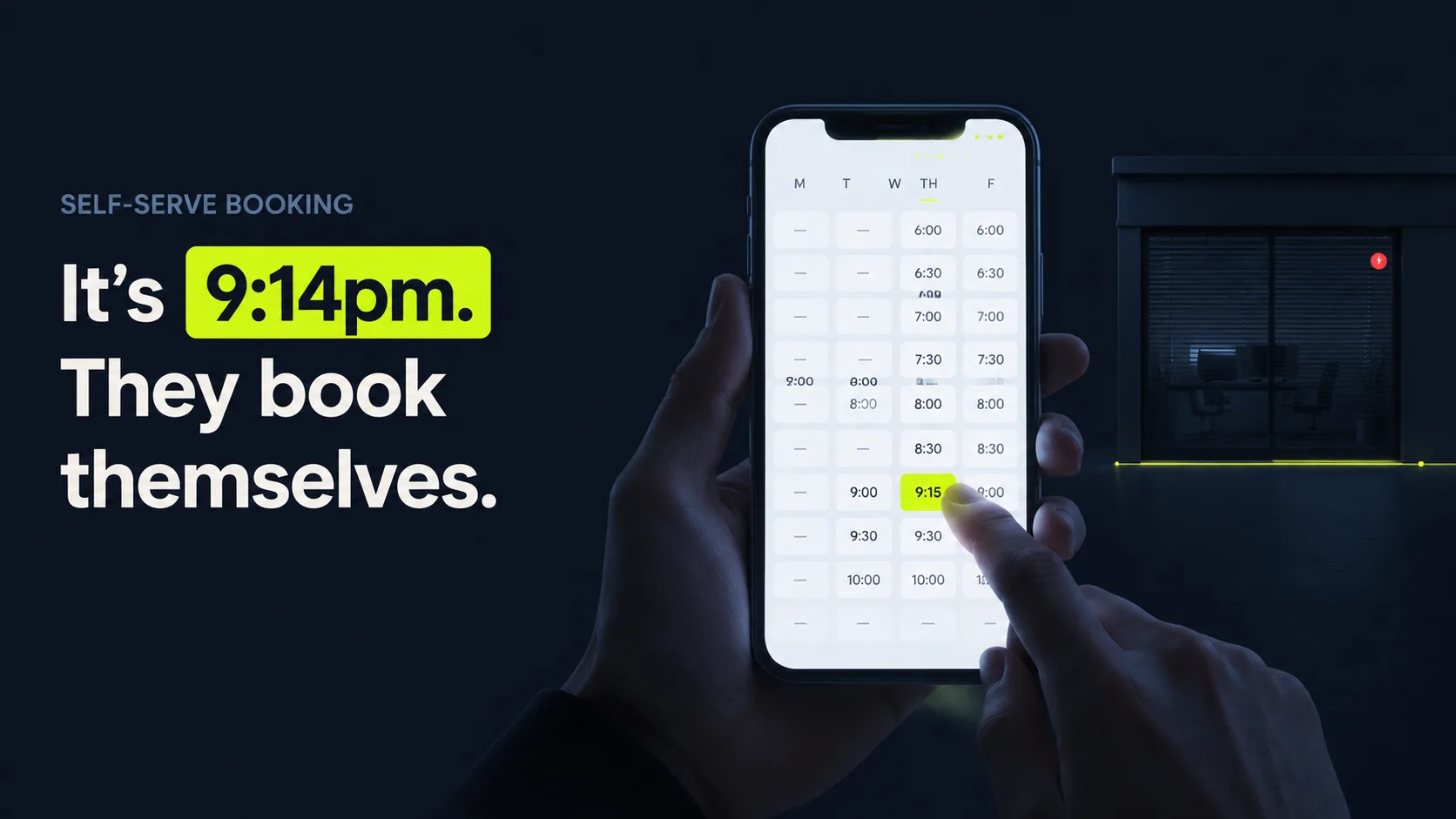
How does an AI schedule maker build and share a bookable schedule?
An AI schedule maker builds a schedule by reading your connected calendars, applying your booking rules, and publishing only the slots that survive both checks as a shareable link. It runs in order, and the whole point is that you configure it once and it handles every booking after that. Self-serve is what people want: nearly 70% of consumers would choose to book online over the 22% who'd choose the phone, per GetApp (2024).
Think of it as a gatekeeper that never sleeps and never makes a mistake. The full sequence runs in six steps.
- Connect your calendars. It syncs with Google, Outlook, or your booking system so it always sees real, current commitments.
- Read true availability. It scans for genuinely free time, ignoring anything already blocked, tentative, or out of hours.
- Apply your rules. It enforces buffers, minimum notice, max bookings per day, service duration, and which hours are open for which service.
- Generate the schedule. It turns all of that into a clean grid of bookable slots, refreshed in real time as your calendar changes.
- Share one link. You send a single URL (or embed it on your site) that shows only the slots that pass every rule.
- Confirm and write back. When someone books, it confirms instantly, writes the event to your calendar, and removes that slot for everyone else.
Most people get this backwards. They obsess over step five, the link, and shrug at step three, the rules. Anyone can publish open times. The real value sits in the rules that keep your day livable. A drive-time buffer between jobs. A two-hour minimum notice. A cap of six bookings a day. Those constraints are the difference between a true schedule generator and a page that lets strangers carve up your morning into a route no human could actually drive. [UNIQUE INSIGHT] The link is the part customers see, but the rules are the part that protects your sanity, and that's exactly the part cheap tools skimp on.
Citation capsule: An AI schedule maker connects your calendars, reads true availability, applies booking rules, generates a slot grid, shares one link, and writes confirmed bookings back automatically. A large share of online appointments are booked outside business hours, per GetApp (2024), so the link keeps working long after you have logged off.


When self-booking is not enough, learn when you need a scheduling assistant that also answers the phone.
How does an AI schedule maker kill the email back-and-forth?
It kills the back-and-forth by replacing the "are you free Tuesday?" thread with a link that already knows your availability, so the other person just picks and confirms. No proposing times, no waiting for a reply, no double-checking your calendar. And that thread is not free. It costs you, because callers and emailers won't wait around: 56% of customers immediately try another channel after a missed response window, per Nextiva (2025).
Picture the old way for a second. You suggest three times. They reply with one that no longer works because you booked it an hour ago. You suggest two more. They go quiet for a day. By the time you land on Thursday, they've half forgotten why they wanted you. Five messages to schedule one appointment. Multiply that by every lead in a busy week, and you've spent an afternoon being a calendar instead of running your business.
Availability detection that's always current
The thread exists for one dumb reason: two people can't see each other's calendars. A schedule maker fixes that by detecting your real availability in real time and showing only what's actually open. Nobody guesses. Nobody offers a slot that's already gone. When you book something elsewhere, the link updates immediately, so the next person never sees the time you just lost.
One link instead of a thread
Instead of trading five messages to land on a time, you share one link and the other person self-serves. The link also works at 11pm, which is no small thing, because a large share of online appointments are booked outside business hours, per GetApp (2024). A booker who is ready at midnight never has to wait for your office to open. The appointment is locked before they've had time to second-guess it.
Auto-confirm and auto-reschedule
Once a slot is taken, the tool confirms it on the spot, adds it to your calendar, and sends reminders. If the person needs to move it, they reschedule themselves through the same link, freeing the old slot automatically. You never type "no problem, how about Thursday?" again. [PERSONAL EXPERIENCE] In our experience, that self-serve reschedule is the part that quietly saves the most time, because reschedules are the messages that interrupt you mid-job, when answering them costs the most.
Citation capsule: An AI schedule maker ends the email back-and-forth by detecting live availability, sharing one self-serve link, and auto-confirming and rescheduling. Speed matters: 56% of customers immediately try another channel after a missed response window, per Nextiva (2025), so a link that books instantly keeps the appointment from slipping away.
For callers who still want to talk, see how to build a script for callers who would rather call.
AI schedule maker vs a full scheduling assistant: which do you need?
You need an AI schedule maker if people are willing to self-book online, and a full scheduling assistant if you also need someone (or something) to answer the phone and book for callers who won't go online. The catch is simple: a link only catches the people who use the link. Roughly a third still pick up the phone. 33% book by phone today even though most prefer online, per GetApp (2024). A link alone can't catch that third, and that third is often your highest-intent, ready-to-buy demand.
The core difference comes down to channel and who does the booking.
| Capability | AI schedule maker (self-serve link) | Full scheduling assistant |
|---|---|---|
| Primary channel | A shared booking link | The phone, plus a link |
| Who books | The customer, themselves | The assistant, on the call |
| Reads your availability | Yes | Yes |
| Answers inbound calls | No | Yes, in a natural voice |
| Captures phone-only bookers | No | Yes |
| Reschedules automatically | Yes, via the link | Yes, on the call or via link |
| Best for | Online-first audiences | Mixed online and phone demand |
Choose the AI schedule maker when:
- Your audience books online happily. Consultations, demos, and repeat clients who'd rather tap a link than call.
- You mostly need to stop email threads. The pain is coordination, not missed calls.
- You want the lightest setup. A link to share is the whole tool.
Choose a full scheduling assistant when:
- You still get real phone volume. That 33% who book by phone won't all switch to a link.
- Missed calls cost you jobs. Roughly 27% of calls to home-services businesses go unanswered, per Invoca (2024), and a link can't answer a ringing phone.
- Speed wins the lead. Contacting a web lead within 5 minutes makes you 21x more likely to qualify it than waiting 30 minutes, per Harvard Business Review (2011, older but still the foundational study).
For most businesses, the honest answer is both, and treating them as rivals is the expensive mistake. The link handles the self-serve majority. The assistant catches the phone callers the link would have dropped. Pick only the link, and you quietly hand the phone-only third of your demand to whoever answers their second call: your competitor.
Citation capsule: An AI schedule maker handles online self-bookers; a full scheduling assistant also answers the phone for the 33% who still book by phone, per GetApp (2024). With roughly 27% of home-services calls going unanswered, per Invoca (2024), many businesses run both: a link for self-serve and an assistant for callers.
See how a full scheduling assistant answers and books calls for the people a link cannot reach.

What does an AI schedule maker cost, and what are its limits?
Self-serve scheduling tools are cheap, often free to low monthly cost, while AI tools that also answer calls start around $95 a month (vendor list pricing, Smith.ai, 2026). The honest limit is the channel: a link only books the people who use the link. Anyone who calls instead reaches nothing, which is why pure scheduling makers and call-answering tools solve different halves of the problem. The low price is easy to love. The blind spot is the part that costs you.
What it costs
A standalone scheduling link is one of the lowest-cost tools you can add; many basic versions are free or a few dollars a month. Once you want AI that also answers the phone and books callers, pricing steps up: AI receptionist plans start around $95 a month (vendor list pricing, Smith.ai, 2026). For context, live human answering runs far higher, roughly $300 to $2,000+ a month (vendor-aggregated pricing, CloudTalk, 2025). Self-serve scheduling is the budget end of that range, and that's exactly why it's tempting to stop there.
Integrations to check
A schedule maker is only as good as what it connects to. Confirm it syncs two-way with your calendar (Google or Outlook), writes to your CRM or job software, and sends reminders by text or email. Two-way sync is the non-negotiable. If a booking you take elsewhere doesn't block the link, you'll double-book, and a double-booked customer is an angry customer who tells people. Reminders matter too, since text is far preferred for confirmations over voicemail.
The real limits
One limit costs real money. A link can't answer a phone, read a worried tone, or reassure a caller who needs a human before they commit. It won't capture the third of people who still book by phone, per GetApp (2024). And it can't rescue a missed call: with fewer than 3% of callers leaving a voicemail, per Invoca (2024), a phone-only booker who hits no answer is usually gone for good, often to the next name on the search results.
Illustrative example (industry-based scenario, not a real client): Picture a consultant who books about 40 calls a month and currently sends roughly 5 emails to lock each one in. That's about 200 scheduling emails a month. Now do the math on what those messages actually cost. Swap the thread for a self-serve link and most of those emails vanish, freeing meaningful admin time valued at a typical receptionist wage of $17.90 an hour, per U.S. Bureau of Labor Statistics (2024). That's hours back every month, and not the boring kind. The kind you spend on billable work instead of typing "does Thursday still work?" Run your own numbers with the calculator below.
Citation capsule: A standalone AI schedule maker is low-cost, while AI that also answers calls starts around $95 a month (vendor pricing, Smith.ai, 2026), versus $300 to $2,000+ for live answering (vendor pricing, CloudTalk, 2025). Its limit is the channel: a link can't capture the 33% who still book by phone, per GetApp (2024).
Use our scheduling and call-handling savings calculator to estimate the numbers for your business.
How does SkoreFlow do self-serve scheduling for trades?
SkoreFlow pairs a self-serve booking link with a missed-call recovery voice agent that answers your phone, so both your online bookers and your callers land on the same real-time schedule. That's the fix for the blind spot we flagged at the top. A link alone leaves the phone ringing into the void, and roughly 27% of home-services calls go unanswered, per Invoca (2024), where a caller who reaches no one rarely calls back.
Picture a Tuesday on a plumbing crew. A pipe lets go in someone's kitchen at 7:40am. Water is spreading across the tile, and the homeowner is already dialing the second name on their list because the first one rang out. Your office phone is one of those names. With a link only, that call dies in a dark office. With SkoreFlow, it doesn't. The two channels fit together around one calendar, built for home-service trades like plumbing, HVAC, and electrical. You connect Google Calendar or your job software and set your rules once: hours, buffers, services, and notice. Online customers get a link that shows only genuinely open slots and books itself. Callers who'd rather talk reach a natural-voice agent that answers in under a second, qualifies the job, and books the estimate on the spot. It books jobs, not messages, which is the line that separates it from an answering service like Ruby that just takes a message and leaves you to call back when the kitchen is already flooded. The voice agent writes into ServiceTitan, Jobber, or Housecall Pro, so the two channels never collide. The setup is TCPA-aware, and most trades shops go live in 48 hours. Speed wins, too. Contacting a lead within 5 minutes makes you 21x more likely to qualify it than waiting 30 minutes, per Harvard Business Review (2011, older but still the foundational study).
Most scheduling tools sell the link and stop there. [PERSONAL EXPERIENCE] We've found that for trades, the lost jobs hide in the calls you never picked up, not the emails you never sent. The link tidies your online bookers. The voice agent is what recovers the revenue the phone was quietly dropping on the floor.
The plans run from $297/mo ($1,500 setup, up to 80 calls) to $897/mo ($4,000 setup, unlimited), and the offer carries a clear promise: 5 booked jobs in 30 days or your setup is refunded. So the risk of trying it sits with us, not you. In a representative scenario, a 7-technician plumbing shop that was answering closer to 38% of calls climbs toward a 94% answer rate once the agent picks up every ring, returning roughly $14,200 a month in jobs that used to roll to voicemail. Those figures are illustrative benchmarks, not a specific customer result. Still, run the logic: even a fraction of that is more than the plan costs, every month.
Citation capsule: SkoreFlow combines a self-serve booking link with a missed-call recovery voice agent so online and phone bookers share one real-time schedule for trades. It closes the gap a link leaves, since roughly 27% of home-services calls go unanswered, per Invoca (2024), while the agent books the job on the call instead of taking a message.
See the full missed-call recovery voice agent to capture both your online bookers and your callers, or stop missed calls from leaking jobs. Trades can Book a Free Call Audit, a 20-minute, no-pressure look at exactly which calls you are dropping and what they're worth.
