How does AI appointment booking work, step by step?
AI appointment booking works by understanding the request, checking live availability, booking the slot, and confirming it, in one continuous flow rather than a phone-menu maze. Here's why that flow wins: friction kills bookings. In a 2019 Vonage survey, 85% of consumers said they had abandoned at least one call to an IVR phone menu, per Small Business Trends (2019). That sentiment hasn't softened. Nobody wants to press 1 for billing while their tooth throbs. An assistant that just listens and books removes the maze entirely. Here is the full sequence, in order.
- Greet and capture the request. The assistant answers by phone, text, or web chat and listens to the caller's own words ("I need a cleaning next week," "can I move my Tuesday appointment").
- Identify the appointment type. It maps the request to a service, visit length, and the right provider or technician.
- Collect intake details. It gathers name, contact number, reason for the visit, and any fields you require, such as insurance, address, or vehicle.
- Check the live calendar. It reads real-time availability across providers, rooms, or dispatch windows so it only offers slots that are actually open.
- Offer and confirm a slot. It proposes options, books the chosen one, writes it to your calendar, and reads the details back.
- Send confirmation and reminders. It texts or emails a confirmation immediately, then schedules reminders before the appointment.
- Log and escalate. It records a transcript and outcome, and patches anything urgent or out of scope to a human with context attached.
Now, the step most setups get wrong isn't booking. It's step four. If the assistant offers a slot it can't actually honor, you've traded a missed call for a double-booking, and that's worse: two patients, one chair, one of them furious in your waiting room. Live, two-way calendar sync is the difference between a real assistant and a glorified message-taker. Get that right and the rest of the flow holds up. We'll come back to exactly how that sync kills the double-booking nightmare in the next section.
Citation capsule: An AI scheduling assistant runs a seven-step flow: greet, identify the appointment type, collect intake, check the live calendar, offer and confirm a slot, send reminders, and log or escalate. The conversational format matters because 85% of consumers said in a 2019 Vonage survey that they had abandoned at least one call to an IVR phone menu, per Small Business Trends (2019).

Want the broader workflow? See how an AI schedule maker turns these steps into a repeatable booking system.
How does calendar sync prevent double-booking and handle rescheduling?
Calendar sync prevents double-booking by reading and writing to your live calendar in real time, so the assistant only ever offers slots that are genuinely open. The same connection makes rescheduling and cancellations clean, because the assistant edits the source calendar directly instead of leaving a sticky note for someone to action tomorrow. Why does this matter so much? Callers won't wait for a callback. 56% immediately try another channel after a missed response window, per Nextiva (2025). That patient is dialing your competitor while your voicemail greeting is still playing. Below is how the sync layer earns its keep.
- Two-way sync. The assistant both reads availability and writes new bookings back, so every channel sees the same truth instantly.
- Real-time availability checks. It queries open slots at the moment of the call, not from a cached copy, which is what actually blocks double-booking.
- Buffers and rules. It respects appointment lengths, prep and cleanup buffers, provider hours, and blackout dates you set.
- Conflict prevention. If two requests target the same slot, the first to confirm wins and the assistant offers the second caller the next opening.
- Self-serve rescheduling. A caller can move an appointment in the same conversation, and the old slot reopens automatically for someone else.
- Cancellations and waitlist trigger. A cancellation frees the slot and can immediately trigger a waitlist offer to fill it.
Which calendars and systems does it sync with?
Most AI scheduling assistants connect to mainstream calendars and practice or field-service software. Common integrations include Google Calendar, Microsoft Outlook, and the booking layer inside clinic, dental, or service platforms. The practical test is simple: is the integration two-way and real-time? A one-way export still leaves you exposed, because the assistant can't see a change someone made on the other side. So it offers a slot that's already gone, and the double-booking you were trying to dodge happens anyway.
Citation capsule: Two-way, real-time calendar sync prevents double-booking by checking live availability before offering any slot and writing bookings back instantly across every channel. It also powers clean rescheduling and cancellations, which matters because 56% of customers immediately try another channel after a missed response window, per Nextiva (2025).

Figure: Two-way calendar sync flow. Source: SkoreFlow process.
To set the rules the assistant follows on every call, start with our voice agent script template for booking and rescheduling.
How does an AI scheduling assistant cut no-shows?
An AI scheduling assistant cuts no-shows mainly through automated reminders, easy confirmations, and waitlist fill, the three levers that move attendance most. The stakes aren't abstract. A single patient no-show costs about $196 per appointment, with a mean no-show rate of 18.8% across clinics, per BMC Health Services Research (2016). Picture that empty chair. The hygienist is paid, the room is prepped, the slot is gone, and nobody's in it. Reminders won't fix every gap, but they reliably recover a slice of that loss. Here is how each lever works.
Automated reminders and confirmations
Reminders work because most no-shows are forgetful, not deliberate. People don't skip on purpose. They blink, and Thursday arrives. The assistant texts or calls before the appointment and lets the patient confirm, reschedule, or cancel in one tap or reply. Texting fits how people actually behave. In an older but still-cited Nuance and Research Now survey, 95% of respondents said text messaging was more convenient than voicemail, per destinationCRM (2014). More recent data points the same way: 56% of customers immediately try another channel after a missed response window, per Nextiva (2025). A confirmed appointment is far more likely to be a kept one.
Easy rescheduling instead of silent no-shows
When changing an appointment is hard, people just don't show up. They mean to call, they dread the hold music, and the day slips past. The assistant makes rescheduling a 30-second conversation, by text or phone, day or night, so a conflict becomes a moved appointment instead of an empty chair. That self-serve path matters because nearly 70% of consumers would rather book online than call, per GetApp (2024), and the same preference applies to changes.
Waitlist fill for last-minute cancellations
A cancellation only hurts if the slot stays empty. The assistant keeps a waitlist and, the moment someone cancels, offers the opening to the next person in line by text. The first to accept books it. So a late cancellation, which used to be lost revenue staring back at you from the schedule, becomes a filled slot, often within minutes.
Illustrative example (industry-based scenario, not a real client): Picture a dental practice running 600 visits a month at roughly $200 per visit with a 15% no-show rate. That is about 90 empty chairs a month. Reminders, easy rescheduling, and waitlist fill that pull no-shows down to 9% recover roughly 36 visits, around $7,200 in otherwise-lost revenue, before counting new patients captured after hours. Run that across a year and you're looking at real money, not rounding error. Numbers are illustrative; run yours in the calculator below.
Citation capsule: An AI scheduling assistant cuts no-shows through automated reminders, one-tap confirmations, easy rescheduling, and waitlist fill. The payoff is real: a single patient no-show costs about $196 per appointment at a mean no-show rate of 18.8% across clinics, per BMC Health Services Research (2016).
Figure: Illustrative monthly no-shows and recovered revenue at 15% versus 9%. Source: SkoreFlow illustrative model, BMC Health Services Research (2016).
Curious what your gap is worth? Use our no-show cost calculator to estimate missed and recovered revenue.
How does setup differ for a clinic vs a service team?
A clinic setup centers on intake fields, provider routing, and triage, while a service-team setup centers on job type, service area, and dispatch windows. The booking engine is the same; the rules around it differ. That difference is what makes the assistant feel native to your business instead of a generic bot reading off a script. In our experience, this is where a setup either earns the owner's trust in week one or quietly annoys every caller. Below is how each side is configured, then a side-by-side view.
Clinic and dental setup
A clinic books by provider, visit type, and visit length, and often needs insurance, reason-for-visit, and new-versus-returning fields at intake. Routing sends a cleaning to a hygienist and a crown to a dentist, and urgent symptoms escalate to a person. This answers the question owners actually ask: can an AI receptionist book dental or medical appointments? Yes, when it's configured with your visit types, providers, and intake fields. And patient experience is on the line, since 35% of patients would switch doctors over poor digital experiences, per eMarketer (2026), citing a Software Finder survey. One clumsy booking and a third of your patients are already shopping.
Service-team setup
A service team books by job type, service area, and crew or technician, and needs address, access notes, and an estimated job duration to set a realistic dispatch window. Routing matches the job to an available tech and respects drive time between stops. Emergency calls get fast-tracked or escalated. The after-hours case is strong here too, since restaurants alone receive 51% of calls after 5pm, per BrightLocal (2019), and trades see similar evening and weekend demand.
| Setup detail | Clinic / dental | Service team |
|---|---|---|
| Books by | Provider + visit type | Job type + technician/crew |
| Key intake fields | Insurance, reason, new/returning | Address, access notes, job duration |
| Routing logic | Right provider for the visit | Right tech for the job + drive time |
| Time blocks | Visit length + room availability | Dispatch window + travel buffer |
| Urgent handling | Escalate symptoms to a person | Fast-track emergencies, escalate |
| Reminders | Pre-visit confirm + prep notes | Pre-arrival window + tech ETA |
Citation capsule: A clinic setup configures provider routing, visit types, and intake fields like insurance and reason-for-visit, while a service-team setup configures job type, service area, technician routing, and dispatch windows. Patient experience is at stake either way, since 35% of patients would switch doctors over poor digital experiences, per eMarketer (2026), citing a Software Finder survey.
For a clinic-specific walkthrough, read how an AI receptionist books dental and medical appointments with your visit types and intake fields.
What are the costs, integrations, and limits?
An AI scheduling assistant costs far less per minute than live answering, integrates with mainstream calendars, but has real limits around judgment and edge cases. Let's put the numbers on the table. AI receptionist plans start around $95 a month, per Smith.ai (2026), while live virtual-receptionist time runs roughly $3.45 to $5.00 per minute, per Ruby (2026). Below is the balanced picture, the part most vendors skip: what it costs, what it connects to, and where it falls short.
What it costs
The cost gap between AI and live answering is wide enough to feel almost unfair. A live human receptionist runs about $3.45 to $5.00 per receptionist-minute on published plans, per Ruby (2026), and the median US receptionist earns $37,230 a year before benefits and overhead, per U.S. Bureau of Labor Statistics (2024). AI scheduling software starts near $95 a month, per Smith.ai (2026). The cost case is strong on its own. But the bigger return isn't the salary you save. It's the revenue you stop leaking to no-shows and missed bookings every single week.
What it integrates with
Integration decides whether the whole setup works or quietly fails. The assistant should sync two-way with Google Calendar, Outlook, and your clinic or field-service platform, and connect to SMS for reminders and confirmations. A one-way connection isn't enough, because it can't see changes made on the other side, which reopens the door to double-booking. Always confirm the sync is real-time and bidirectional before you trust it with live availability. That one check saves you the messiest support call you'll ever take.
Where it falls short
Here's the honest part. AI assistants struggle with genuine ambiguity, strong emotion, complex multi-part requests, and edge cases outside their training. An anxious patient or a tangled scheduling exception still belongs with a person, full stop. Consumer caution is real too: 64% of customers would prefer companies didn't use AI in customer service, per Gartner (2024). The fix isn't pretending the assistant handles everything. It's a confident, fast human handoff the moment the call needs one.
| Option | Typical cost | Best for |
|---|---|---|
| AI scheduling assistant | From ~$95/mo, per Smith.ai (2026) | 24/7 booking, reminders, overflow, after-hours |
| Live virtual receptionist | ~$3.45-$5.00/min, per Ruby (2026) | Complex, sensitive, judgment-heavy calls |
| In-house receptionist | ~$37,230/yr base, per BLS (2024) | Front-desk presence + in-person tasks |
Citation capsule: An AI scheduling assistant starts around $95/month, per Smith.ai (2026), versus $3.45-$5.00 per minute for live receptionists, per Ruby (2026), and a $37,230 median annual wage for in-house staff, per BLS (2024). It integrates with mainstream calendars but has limits, so keep a human handoff for complex or sensitive requests.
Figure: Cost comparison across answering options. Sources: Smith.ai (2026), Ruby (2026), U.S. Bureau of Labor Statistics (2024).
Weighing the numbers? Try our booking savings calculator to compare your cost per booking against live answering.
How does SkoreFlow set up scheduling?
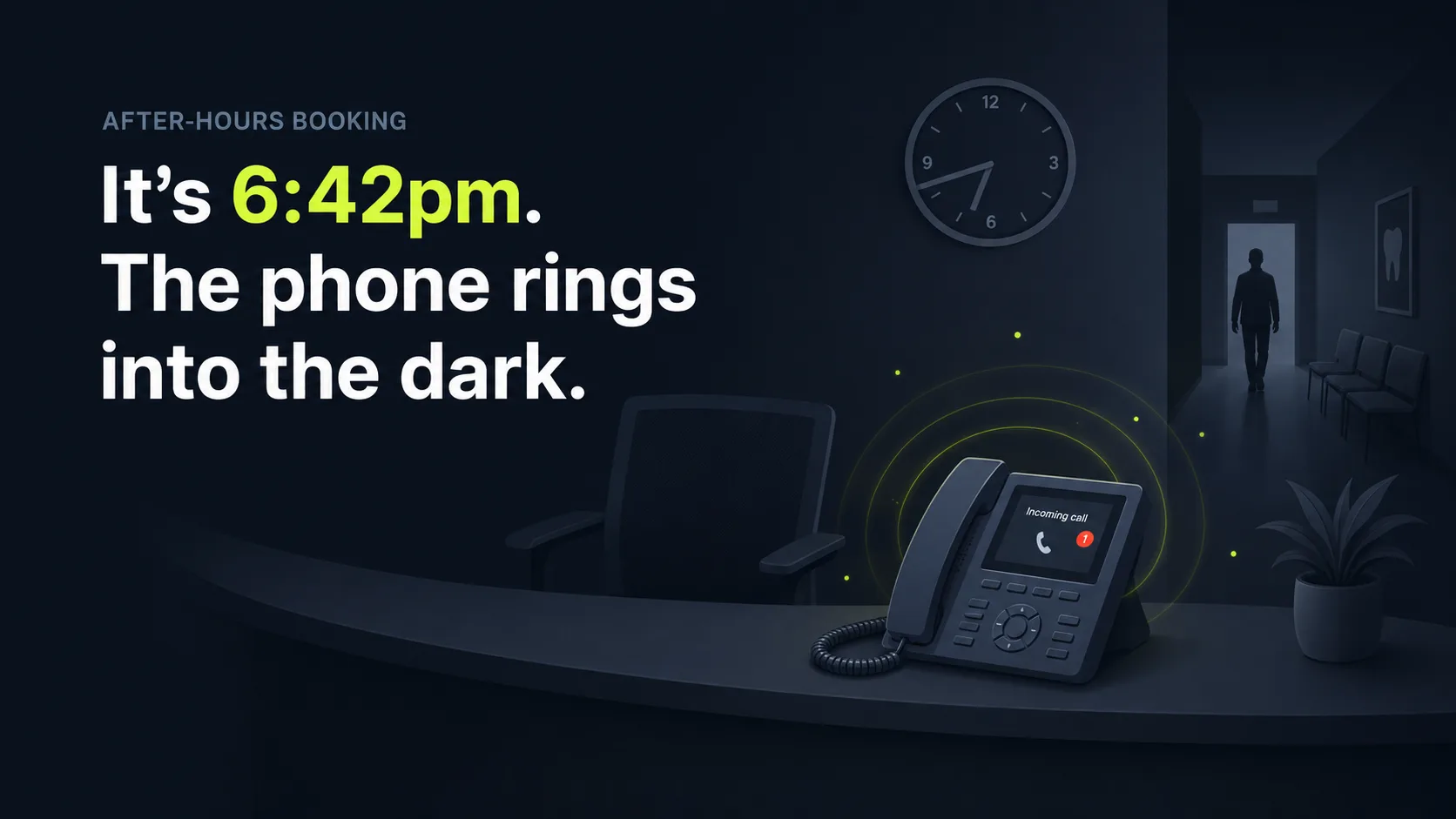
SkoreFlow's Consultation Booking Voice Agent answers on your existing number, books and reschedules consults against your live calendar, sends reminders, and routes urgent requests to your team. Remember that 6:42pm call from the top of this guide, the toothache that walked? This is the part that catches it. The agent books consults, not messages, unlike answering services like Ruby that take a message and leave you to call back next morning, by which point the patient is already in someone else's chair. Most clinics go live in 5 days, per SkoreFlow.
In our experience setting these up for med spas and aesthetic, dental, and health clinics, the fastest win is connecting the calendar and your PMS properly on day one. Once the sync is two-way and real-time, the no-show reminders and waitlist fill almost run themselves. We ground the agent in your site, services, and brand, build it around your providers, intake fields, and booking rules, then it answers 24/7 in a natural voice, answers pre-consult FAQs, and captures every booking with a clean record. The setup is HIPAA-aware [CONFIRM BAA]. Urgent or sensitive requests patch to a human with context attached, which answers the most common objection head-on, since the top consumer worry about AI is not being able to reach a person, per Gartner (2024). Plans run from $497 to $1,497 a month with a Consult Audit guarantee: recover $3,000 in 30 days or your setup is refunded, per SkoreFlow. The category is growing fast, too: the conversational AI market is projected to reach $41.39 billion by 2030, per Grand View Research (2025).
Representative scenario (illustrative, not a real client): A med spa or clinic running this agent might see new-consult responses answered in under 30 seconds, no-shows fall by roughly 68%, and missed calls drop to about 3 a week. Those numbers are model benchmarks, not a specific customer result, but they line up with the published no-show economics above: most no-shows are forgetful, so a sub-minute, always-on response plus reminders recovers the bulk of the loss. Run your own figures before you trust any of them.
Citation capsule: SkoreFlow's Consultation Booking Voice Agent answers 24/7 on your existing number, books and reschedules consults against a live calendar, syncs your PMS, sends reminders, and escalates urgent requests to humans. Clinics typically go live in 5 days, with a guarantee to recover $3,000 in 30 days or refund the setup, per SkoreFlow (2026).
See exactly how setup works on our Consultation Booking Voice Agent page, from PMS connection to your first booked consult.
The bottom line: book every hour, keep humans for judgment
An AI scheduling assistant books, reschedules, confirms, and reminds across phone, text, and web, syncing live with your calendar so you never double-book or miss an after-hours request. The case is simple: nearly 70% of consumers prefer to book online, yet a third still call, per GetApp (2024), and an assistant covers both without you staffing nights and weekends.
It pays for itself most clearly on no-shows, where a single missed appointment costs about $196, per BMC Health Services Research (2016), and reminders plus waitlist fill recover a real slice of that. You still want humans for anxious patients, complex exceptions, and anything sensitive, so build the agent with a clean escalation path and a flat, predictable cost. So go back to that 6:42pm phone ringing into the dark. With the right setup, it gets answered, the toothache gets a slot, and the revenue stays yours. Want to see what your no-shows and missed consults are worth? Run the numbers in the calculator, then Book a Free Consult Audit, a 20-minute, no-pressure call where we map your recovery.
Run your numbers in the no-show cost calculator, then see the full Consultation Booking Voice Agent that books, reschedules, and reminds for med spas and clinics.
Written and reviewed by Maksim Skorokhod, Founder of SkoreFlow, who builds AI answering and scheduling automation for clinics and small service businesses. Learn more on the about page or reach the team via contact. Last reviewed: 2026-06-07.