What you'll need before you start
Gather four things before the cleanup, so you're not stopping mid-pass to hunt for access. This prep takes minutes and saves hours. Cold outreach is hard enough on clean data: average B2B reply rates dropped to 5.8% in 2024, down from 6.8% the year before, per Belkins (2025). You don't want dirty records dragging that number lower.
Think of this as laying tools on the bench before you open the engine. Skip it, and you'll be halfway through a merge when you realize you can't edit a property. Four items make up the short list:
- HubSpot admin (or Super Admin) access so you can merge contacts, edit properties, and change account-wide settings.
- A deduplication method, either HubSpot's built-in duplicate management tool or a vetted third-party app from the marketplace.
- A field map, a simple sheet listing which properties your AI sequences read (first name, email, lifecycle stage, consent flag) and the allowed values for each.
- A consent/opt-in record source, wherever your lawful basis to contact each person is captured (form submissions, double opt-in logs, recorded agreements).

The HubSpot data-hygiene checklist
Work these eight steps in order, because each one depends on the last. About 81% of sales teams now use or are experimenting with AI, per Salesforce (2024), so most teams are automating outreach on data that was never cleaned for a machine to act on. Fixing the records first is what separates AI that helps from AI that embarrasses you.
Why the order matters more than you'd think: skip ahead, and you'll standardize a field on a record you're about to merge away. The sequence isn't bureaucracy. It's the difference between one pass and three. Here's the table that ties each step to the failure it prevents.
| Step | What you do | The failure it prevents |
|---|---|---|
| 1. Deduplicate | Merge by a unique field like email | Same person messaged two or three times |
| 2. Standardize | Fix capitalization and inconsistent values | Broken greetings and split segments |
| 3. Fix emails | Validate and remove bad addresses | Bounces that wreck deliverability |
| 4. Fill required fields | Populate first name, company, stage | "Hi {{first name}}," with no name |
| 5. Set lifecycle stages | Correct stuck or default stages | Cold pitch landing in a customer's inbox |
| 6. Validate consent | Confirm and store lawful opt-in | Compliance exposure at machine scale |
| 7. Archive stale records | Suppress cold, bounced, opted-out | Sends wasted on dead addresses |
| 8. Document rules | Record the map, values, owner | Hygiene quietly drifting back to messy |

1. Deduplicate contacts first
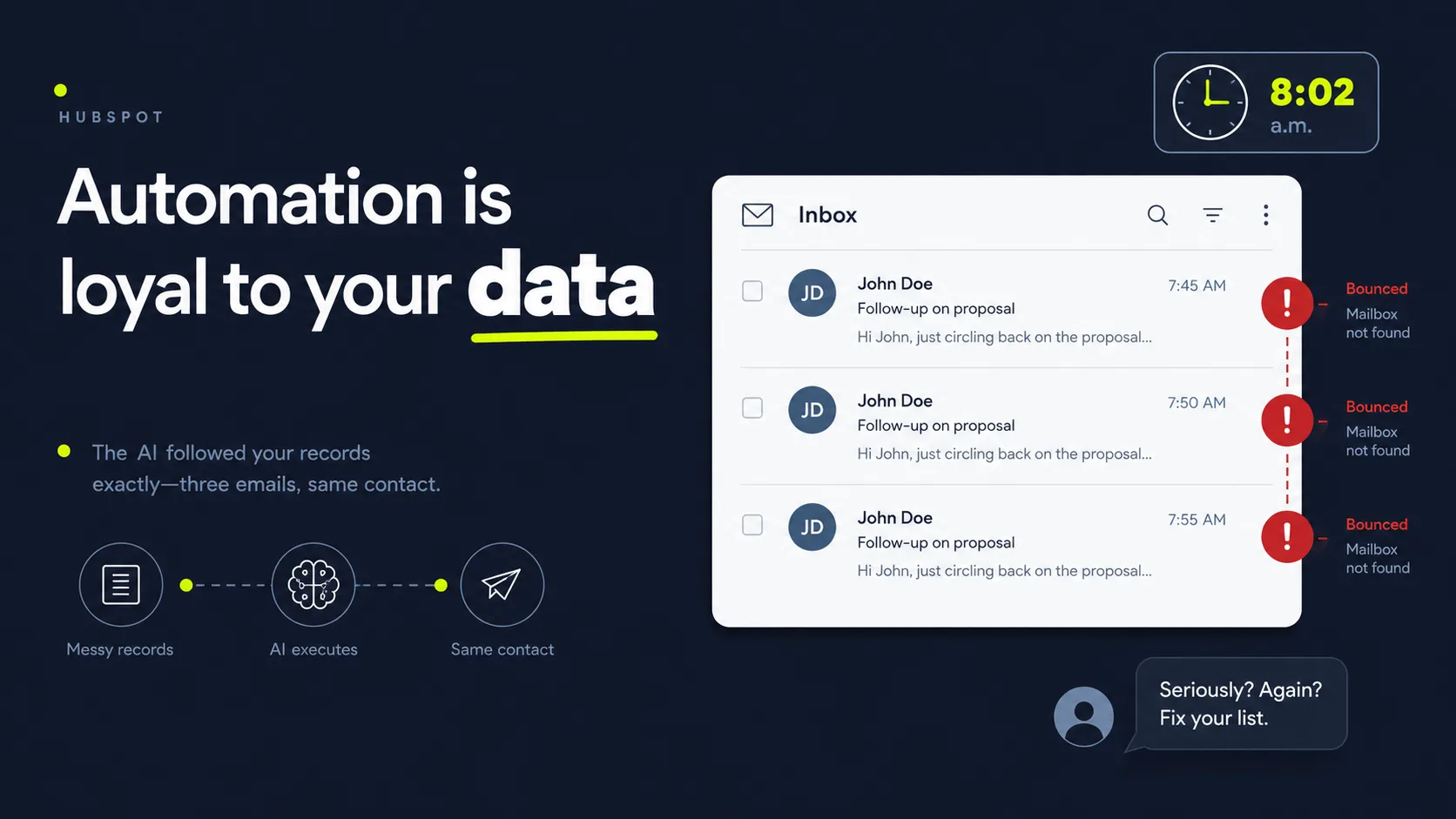
Start with duplicates, because every later step is wasted effort on a record you'll merge anyway. Duplicate contacts cause AI sequences to message one person two or three times, split their history, and skew your reporting. Run HubSpot's duplicate management tool to review and merge suggested matches, then deduplicate by a unique field like email so the same address never lives on two records.
Merge carefully. When HubSpot combines two contacts, it keeps the primary record's property values and rolls up activity, so pick the most complete record as primary before you confirm. Get this backwards and you bury the better record under the emptier one.
Citation capsule: With about 81% of sales teams now using or experimenting with AI (Salesforce, 2024), automated sequences run on whatever records exist. Deduplicating contacts first, merging by a unique field like email, stops AI outreach from messaging the same person multiple times and splitting their engagement history across duplicate records.
2. Standardize field values
Fix inconsistent formatting next, so your personalization and segmentation actually work. AI sequences read fields literally. "California," "CA," and "calif." become three different segments, and a first-name field holding "JOHN SMITH" produces a greeting no human would write. Standardize state, country, job title, and name capitalization using consistent values, and convert free-text fields to dropdowns where you can.
Insight from our builds: We've found field standardization matters more for AI than for human reps. A salesperson silently corrects "ca" to California in their head. An automation doesn't. It writes exactly what's in the cell, so the messiness that humans tolerate is the messiness AI broadcasts.
3. Fix and validate bad emails
Clean up invalid and risky email addresses before any send, because bounces wreck deliverability. High bounce rates tell mailbox providers you're emailing bad lists, which pushes even your good messages to spam. Filter for obviously malformed addresses (missing @, typo domains), remove role addresses where appropriate, and run a validation pass so AI sequences only send to verified, deliverable inboxes.
This protects the whole program. One automated blast to a stale, unvalidated list can damage a sender reputation that took months to build. Do the math on that: weeks of warm-up, gone in an afternoon, and every future send pays the tax.
4. Fill required properties
Populate the fields your sequences actually use, so AI never personalizes with a blank. A "Hi {{first name}}," with no first name reads as obviously automated and kills trust on the first line. Decide which properties are mandatory for outreach, first name, company, lifecycle stage, and set fallback values or exclude records missing them from sends until the gap is filled.
Use your field map here. If a property isn't read by any sequence, don't block on it. Focus on the handful that drive personalization and routing, and let the rest wait.
Citation capsule: Salesforce found 83% of sales teams using AI saw revenue growth versus 66% of teams without it, per Salesforce (2024). That upside only materializes when required properties, first name, company, and lifecycle stage, are filled, so AI personalizes accurately instead of sending obviously broken "Hi {{first name}}" messages.
5. Set lifecycle stages correctly
Assign each contact an accurate lifecycle stage, so AI outreach targets the right people with the right message. A lead, a marketing-qualified lead, and an existing customer should never receive the same automated sequence. Audit your lifecycle stage property, correct contacts stuck in default or wrong stages, and confirm your sequences are scoped to the stages you intend.
Wrong stages cause the worst outreach errors. Few things damage a relationship faster than a cold-prospect sequence landing in a paying customer's inbox. That's the email that gets forwarded to your boss.
6. Validate opt-in and consent
Confirm you have lawful consent to contact each person before automation sends anything. This is a compliance requirement, not a nice-to-have, and AI scale magnifies the risk of getting it wrong. Verify that each contact in an outreach audience has a recorded opt-in or other lawful basis, store that consent status in a HubSpot property, and exclude anyone without it from automated sends.
Record-keeping is a recognized data-privacy and call-recording best practice: capture when and how consent was given, keep it with the contact record, and honor opt-outs automatically. The exposure isn't hypothetical either, since 53% of customers would consider switching to a competitor if they learned a company was using AI in its service, per Gartner (2024). Mishandled consent compounds that distrust fast.
Insight from our builds: Consent is where most teams cut a corner that AI makes expensive. A rep sending ten manual emails might eyeball a list. An AI sequence sends ten thousand without blinking, so an unconsented audience stops being a small risk and becomes a large, automated one.
7. Archive stale records
Remove or archive contacts that have gone cold or unresponsive, so AI doesn't keep spending sends on dead addresses. CRM data decays steadily as people change jobs and emails, and a list quietly rots if no one prunes it. Define "stale" for your business (no engagement in 12 to 24 months, hard-bounced, or opted out), then archive or suppress those records from active sequences.
Think about the mechanics on any sizeable list. People change jobs, switch employers, and abandon old inboxes constantly, so a slice of every CRM goes stale each year without anyone touching it. Left unpruned, those dead records keep absorbing automated sends, dragging down deliverability and skewing your engagement metrics. The bigger the list, the bigger the silent waste, and automation pays that cost faster than a human reviewer ever would.
8. Document field rules and ownership
Write down the rules, so the cleanup doesn't unravel the moment you turn outreach back on. Hygiene isn't a one-time event. Without documented standards, the same duplicates and formatting drift creep back within months. Record your field map, allowed values, naming conventions, dedupe schedule, and who owns ongoing data quality, then store it where the whole team can see it.
This last step is what makes the other seven stick. A short, living document beats a perfect one-time cleanup that nobody maintains.
Citation capsule: B2B cold email reply rates fell to 5.8% in 2024 from 6.8% a year earlier, per Belkins (2025). Documenting field rules, allowed values, dedupe cadence, and data-quality ownership keeps a clean HubSpot clean, so AI outreach keeps running on accurate records instead of slowly drifting back into duplicates and bad fields.
Once the data is clean, the next step is to route those leads automatically in HubSpot so the right rep or sequence picks them up instantly.
Common mistakes and pitfalls
The most expensive mistake is automating on top of duplicates and unconsented records, then blaming the AI when results disappoint. Outreach is already a grind, average B2B reply rates sit at just 5.8%, per Belkins (2025), so starting from dirty data almost guarantees a weak program. The errors below are the ones we see most often.
Remember that customer who replied "why are you cold-pitching me?" Every pitfall here is a version of that moment, scaled up. Here's how each one happens, and how to head it off.
Automating before deduplicating. Turning on a sequence with duplicate records means one person gets messaged multiple times, which reads as spam and gets you blocked. Always merge first.
No consent tracking. Sending automated outreach without a stored opt-in is both a deliverability risk and a compliance problem. AI scale turns a small lapse into a big one.
Skipping email validation. A single automated blast to an unvalidated list can spike bounces and push your good mail to spam for weeks. Validate before you send, not after.
Treating hygiene as one-and-done. Data decays continuously as contacts change roles and addresses, so a cleanup with no maintenance schedule rots back to messy. Document rules and set a recurring cadence.
Insight from our builds: One pattern shows up again and again. Teams blame the AI tool for poor outreach results when the real culprit is the data underneath it. AI is a multiplier. Point it at clean records and it multiplies wins. Point it at a messy list and it multiplies bounces, duplicates, and complaints, just faster than a human ever could.
Citation capsule: With B2B cold email reply rates down to 5.8% in 2024 (Belkins, 2025), the margin for error is thin. The biggest pitfall is automating outreach on top of duplicates and unconsented contacts, which scales spam complaints and bounces at machine speed and then gets blamed on the AI rather than the dirty source data.
How SkoreFlow watches HubSpot for routing leaks after cleanup
SkoreFlow's HubSpot Outbound Orchestration sits on top of a clean CRM as a read-only control layer, so the records you just fixed don't quietly leak again once outreach is live. It monitors post-assignment state: SLA breaches, orphaned leads that no one followed up, and routing that silently fails. It makes no changes to your stack and typically surfaces the first real leak within 24 to 48 hours.
The cleanup alone won't catch one thing, though. You can dedupe a portal to perfection and still bleed deals, because a clean lead that nobody works is just a tidy dead end. Clean data only pays off if leads actually get worked. Salesforce found 83% of sales teams using AI saw revenue growth versus 66% of those without, per Salesforce (2024), and AI use is spreading fast among small firms, 91% of SMBs using AI say it boosts revenue, per Salesforce (2025). None of that upside lands when records sit unassigned in a duplicate-free CRM.
Insight from our orchestration work: In our experience, cleanup and routing trust are two halves of the same problem. You can dedupe a portal perfectly and still lose deals because a chunk of leads never gets assigned, or sits past its SLA with no follow-up. The control layer is read-only by design, so it flags the leak without touching your existing workflows.
Citation capsule: SMBs report strong AI results, 91% of those using AI say it boosts revenue, per Salesforce (2025), but only when leads are worked. In a representative HubSpot portal, an orchestration audit commonly surfaces around 47 orphaned leads and speed-to-lead drifting near 340 minutes, the kind of routing leak a read-only monitoring layer is built to catch within 48 hours.
So that's the loop closed: clean the records, then make sure they're actually being worked. SkoreFlow's promise here is plain. Catch a real routing leak in 48 hours or get a full refund, no haggling. Want to see what's slipping through your portal? Use the HubSpot Leak Auditor and the other free tools to estimate what orphaned leads and slow follow-up are costing you right now.
Clean the data, then let AI scale it
Back to that Monday morning. The version where the sequence works starts a week earlier, with eight unglamorous steps and a documented field map. The takeaway is simple: AI outreach is a multiplier, and a multiplier only helps when it's pointed at clean records. Work the eight steps in order, deduplicate, standardize, fix emails, fill required fields, set lifecycle stages, validate consent, archive stale records, and document rules, before you switch any sequence on. Skip the cleanup and automation will scale your bounces, duplicates, and complaints faster than any human could.
You don't have to choose between speed and quality. Clean the source data once, then keep a read-only eye on routing so no lead you cleaned up sits orphaned or past its SLA. Want to see where leads are leaking after the cleanup? Find Your First Dead Lead with a free orchestration audit, and we'll surface a real routing leak in 48 hours or it's a full refund.
Keep going: see the full HubSpot orchestration approach for how the whole system fits together, then set up routing for your now-clean leads so fast follow-up happens automatically.
Written and reviewed by Maksim Skorokhod, Founder of SkoreFlow, who builds AI automation for small teams, including read-only HubSpot orchestration that catches routing leaks and orphaned leads. Last reviewed: 2026-06-07.