How do HubSpot workflows actually work?
A HubSpot workflow works on three parts: a trigger that enrolls a record, the actions HubSpot runs in order, and the enrollment rules that decide who's in and who's out. Set those, and the workflow runs itself. Automation is already mainstream in sales: about 81% of sales teams now use or are experimenting with AI, per Salesforce (2024), and workflows are the entry point for most of them.
Think of it like a recipe. The trigger is the moment it starts. The actions are the steps. Enrollment controls who the recipe applies to. Get those three right and you've automated a chunk of the follow-through your team keeps forgetting at 6pm on a Friday. Here's how the pieces fit, in order:
- Set the trigger (enrollment criteria). Choose what enrolls a record: a form submission, a deal stage change, a property value (like "Lead status = New"), a date, or a list membership. This is the "when this happens" half of the rule.
- Add the actions. Lay out what HubSpot does once a record enrolls: send an email, create a task, set a property, rotate the lead to an owner, send an internal alert, or wait a set number of days before the next step.
- Add branches and delays. Use if/then branches to send different records down different paths (for example, "emergency job" versus "routine quote"), and delays to space touches out instead of firing them all at once.
- Set re-enrollment and suppression. Decide whether a record can re-enter the workflow later, and which records to exclude (already-customers, opted-out contacts) so nobody gets the wrong message.
- Turn it on and watch the enrollment history. Publish the workflow, then check the enrollment and action logs to confirm records are flowing through and actions are firing as intended.

Citation capsule: With about 81% of sales teams now using or experimenting with AI, per Salesforce (2024), HubSpot workflows are the practical starting point. Every workflow runs on three parts: a trigger that enrolls a record, ordered actions like emails and lead routing, and enrollment rules that control who's included, letting a service business automate repetitive steps without coding.
The first workflow most teams build is routing. See how to route inbound leads to the right rep automatically in HubSpot.
What are the 5 HubSpot workflows service businesses should build first?
The five workflows worth building first are lead routing, lead nurture, quote follow-up, missed-lead re-engagement, and internal alerts, because each one plugs a leak where service businesses lose jobs. Speed drives the return: contacting a web lead within 5 minutes makes a firm 21x more likely to qualify it and 100x more likely to connect than waiting 30 minutes, per Harvard Business Review (2011). These five automate exactly that kind of fast, consistent follow-through.
Do the math on the gap for a second. Take a lead worth a few thousand dollars in lifetime value. Multiply it by the handful that slip every week. Multiply that by 50 working weeks. That's not a rounding error. That's a second truck you didn't buy or a hire you didn't make, walking out the door one unread form at a time. Start here, in this order. Each one builds on the data and habits of the last:
- Lead routing. Trigger on a new form submission or new contact, then auto-assign the lead to the right rep or tech by territory, service type, or round-robin. The owner gets a task and a notification instantly, so nobody asks "who's got this one?"
- Lead nurture. Trigger when a lead isn't ready to book, then drip a short series of helpful emails (what to expect, pricing ranges, reviews) spaced over a week or two. The workflow stops the moment they reply or book.
- Quote follow-up. Trigger when a deal hits "Quote sent," then fire a timed sequence: a same-day thank-you, a check-in at day three, and a final nudge at day seven, each pausing if the customer responds or the deal closes.
- Missed-lead re-engagement. Trigger when a lead has gone quiet for a set number of days with no booking, then re-enroll it into a light "still need this done?" touch, so cold leads get one honest second chance instead of dying silently.
- Internal alerts. Trigger on high-value or urgent events (a big quote, an emergency-job keyword, a VIP customer) and notify the owner or on-call tech by email, Slack, or task, so the team reacts in minutes, not the next morning.

In our experience, teams rush to build a clever five-email nurture sequence and skip lead routing entirely, which is exactly backwards. Routing is the cheapest workflow you can build and the one that pays back fastest. If a new lead doesn't reach a person fast, no amount of polished email a week later buys back the speed-to-lead window you already burned on day one.
And quote follow-up? That's the one owners feel in their gut. Building these for service shops, we've found quotes don't go cold because the work isn't wanted. They go cold because everyone was on a job site and nobody circled back by Thursday. A three-touch follow-up that pauses the second a customer replies quietly recovers deals that used to just evaporate. The owner never sees the workflow. They see the calendar fill up.
So which one do you build first? Lead routing. Every time. The other four stack on top of it.
Citation capsule: Contacting a web lead within 5 minutes makes a firm 21x more likely to qualify it and 100x more likely to connect than waiting 30 minutes, per Harvard Business Review (2011). The five workflows service businesses should build first, lead routing, nurture, quote follow-up, missed-lead re-engagement, and internal alerts, all exist to make that fast, consistent follow-through happen automatically.
Want a deeper build on the one owners feel first? See how to automate quote follow-up in HubSpot step by step.
HubSpot workflow automation cost and limits
HubSpot workflows live in the paid Professional tiers (Marketing Hub Professional, Sales Hub Professional, and above), not the free CRM or the entry-level Starter plan, so budget for that step up before you plan a build. HubSpot lists current Professional tier names and prices on its official pricing page (HubSpot, 2026), and those numbers move often, so confirm the plan you're weighing actually names "workflows" before you commit. The tradeoff is simple: workflows save hours, but only once you're on a tier that includes them and the data they run on is clean.
Does the spend earn its keep? When used well, yes, and the evidence is hard to wave off. Salesforce found 83% of sales teams using AI saw revenue growth versus 66% of teams without it, per Salesforce (2024). Among small businesses specifically, 91% of SMBs using AI say it boosts revenue, per Salesforce (2025). Notice what's actually driving that. Most of the gain comes from doing the small follow-ups consistently, every single time, not from anything clever.
Now for the part nobody puts in the sales demo. Here's what HubSpot workflows can't do:
- They route a lead, then stop watching. A workflow can assign a lead and fire an alert, but it can't tell you whether the owner ever worked it. An assigned lead that's never called still reads as "handled" in your pipeline. That blind spot is expensive, because speed-to-lead is decisive: contacting a web lead within 5 minutes makes a firm 21x more likely to qualify it, per Harvard Business Review (2011).
- They only act on data they have. A workflow can't enforce an outcome it doesn't measure. If a rep leaves and their leads sit orphaned, no automation flags it, because nothing checks the post-assignment state.
- They follow rules, not judgment. Workflows do exactly what you tell them, no more. They won't notice an SLA quietly breaching or a routing rule silently sending leads to the wrong team.
- They need clean data. Garbage in, garbage out. Mis-tagged lead sources or missing properties send records down the wrong branch, so the workflow is only ever as good as the fields feeding it.
Here's a quick comparison that cuts through the pricing-page noise: what each tier actually gives a service team.
| Tier | Full workflow tool | What you can automate | Who it fits |
|---|---|---|---|
| Free CRM | No | Basic tasks, manual follow-up | Just tracking contacts |
| Starter | Limited | Simple, single-step automations | A solo owner or tiny team |
| Professional and above | Yes | Branching, multi-step workflows, lead routing, internal alerts | A growing shop losing jobs in the gaps |
Confirm the current tier names and prices on HubSpot's pricing page before you buy, since they change.
Citation capsule: HubSpot workflows require a paid Professional tier and route a lead without checking whether it ever gets worked, so an assigned-but-ignored lead still looks handled. That blind spot matters because speed-to-lead is decisive: contacting a web lead within 5 minutes makes a firm 21x more likely to qualify it, per Harvard Business Review (2011).
So picture this. You've built five clean workflows on a Professional plan. Leads route in seconds. Quotes get chased on schedule. And jobs are still slipping. Why? Remember that blind spot we flagged in the intro. Here's where it bites.
How does SkoreFlow extend HubSpot workflows with AI?
SkoreFlow's HubSpot Outbound Orchestration adds a read-only control layer on top of your workflows: it watches what happens after a lead is assigned, catches SLA breaches and orphaned leads, and flags where routing quietly breaks. Your workflows still run exactly as built. SkoreFlow watches the gaps they leave, the leads that enroll but never actually get worked. Demand for this kind of cleanup is climbing fast: 75% of SMBs are experimenting with or using AI, per Salesforce (2025).
This is the loop we opened up top, and here's how it closes. Workflows route a lead, then stop watching. A rep gets assigned but never calls. An SLA timer slips overnight. A contact sits orphaned under a rep who left months ago. No automation catches any of it, because nothing was checking in the first place. The adoption is already there: 81% of sales teams now use or are experimenting with AI, per Salesforce (2024). A control layer is what turns "assigned" into "actually worked."
The layer is read-only and needs no stack changes, so nothing about how you've built HubSpot has to change. SkoreFlow connects, watches the post-assignment state, and surfaces the first routing leak within 24 to 48 hours. Auditing HubSpot portals, we've found the leaks hide in plain sight: leads stamped "assigned" that no owner ever touched, SLA timers that expired in the small hours, contacts routed to a rep who's been gone since spring. None of it shows up in a standard workflow report. All of it costs you jobs.
Illustrative example (industry-based scenario, not a real client): Picture a RevOps team on a single HubSpot portal. A representative orchestration audit surfaces roughly 47 orphaned leads sitting past their SLA with no owner activity, speed-to-lead dropping from about 340 minutes to 8 minutes once breaches get caught in real time, and the share of missed SLAs falling from around 62% to 4%. These are representative orchestration benchmarks, not measured results from a specific client.
So what does that mean for the owner? Fewer leads dying after assignment. Faster first touches. And the quiet relief of knowing a lead marked "handled" was, in fact, handled, instead of finding out three weeks later when the prospect mentions they went with someone else.
Citation capsule: 81% of sales teams now use or are experimenting with AI, per Salesforce (2024). SkoreFlow extends HubSpot workflows with a read-only orchestration layer that monitors post-assignment state, SLA breaches, and orphaned leads, surfacing the first routing leak within 24 to 48 hours so leads that enroll but never get worked stop slipping through.
Keep going: learn how to automate SDR-style qualification and follow-up with AI, or find orphaned leads with the HubSpot Leak Auditor.
Build the workflows that stop jobs slipping
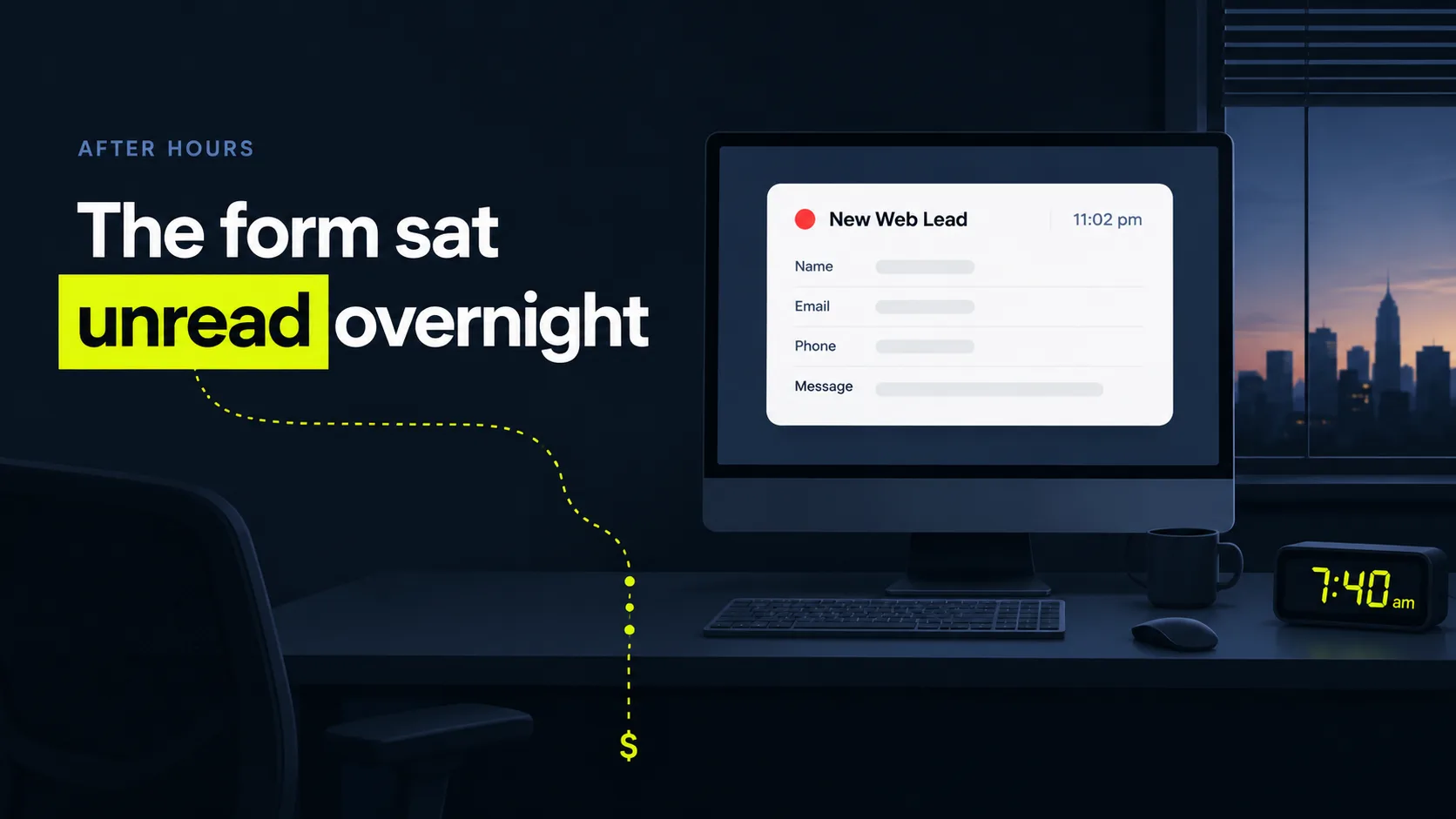
Go back to that 7:40am form sitting unread overnight. With the five workflows running, it never sits. It routes in seconds, the right rep gets a task and a ping, and the follow-up fires on schedule whether or not anyone's thinking about it. That's the payoff: the follow-through your team keeps forgetting becomes something that just happens. Start with the five that matter most, lead routing, nurture, quote follow-up, missed-lead re-engagement, and internal alerts. Get them live on a Professional plan. Feed them clean data. Fewer leads sit overnight. Fewer quotes quietly go cold.
But know the edge we kept circling back to. Workflows route a lead, then stop watching, so a lead that's assigned and never worked slips by looking perfectly handled. That post-assignment gap is exactly where a read-only orchestration layer and your HubSpot workflows fit together. Want to see where leads are going dead after assignment? Find Your First Dead Lead with a free, no-pressure 20-minute audit, and we'll show you a real routing leak in your own portal. If we don't catch one within 48 hours, you get a full refund. It's read-only, no stack changes, nothing to rebuild.
Next steps: see the full HubSpot orchestration approach for how the whole system fits together, then dig into automated lead routing in HubSpot to build the first workflow.
Written and reviewed by Maksim Skorokhod, Founder of SkoreFlow, who builds AI automation and HubSpot outbound orchestration for small teams. Last reviewed: 2026-06-07.